
Description
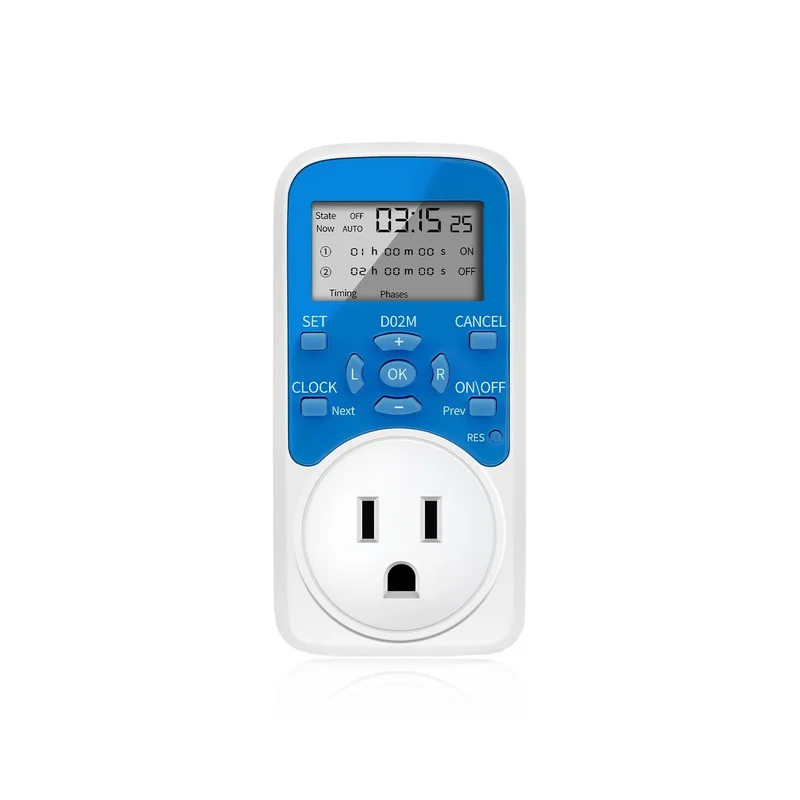
Daily timing switch functionThis programmable timer allows the user to set 8 groups of switches, once complete the settings, it will automatically on and off each day as per the settings.
The on-time and off-time are displayed on the screen at the same time, this outlet timer is very easy to understand.
The timer switch can set the timing, clock and current switch state, or you can give up the setting and return. These 4 function keys are distributed in the four corners of the keyboard area, which are easy to understand and easy to operate.
This outlet timer uses the cursor operating system, “L/R” button to move the cursor position, “+/-” button to control number changes, the operation is very simple.
After setting the timing, clock or switch state, you need to press the “OK” button to execute, so the “OK” button can also prevent misoperation caused by accidentally touching the button
The switch status is displayed intuitively. If the timer jack has electrical output, the current status of the screen is displayed as “ON” and the indicator light is on. If there is no electrical output in the jack, the current status of the screen is displayed as “OFF” and the indicator light is off.
When using this outlet timer, the minimum can be set to seconds, which can meet the equipment that needs precise time such as spraying and watering
This timing outlet uses a 30A high-power relay, can withstand high-power electrical appliances and without current overload.
This timing socket uses the mature circuit design, stable and reliable operation, low failure rate
The internal rechargeable battery does not need to be replaced. If the screen does not display due to long periods of non-use, plug the timer into the power supply and charge for 30 minutes, and then press the “RES” button to restore the display.
Reviews
There are no reviews yet.